










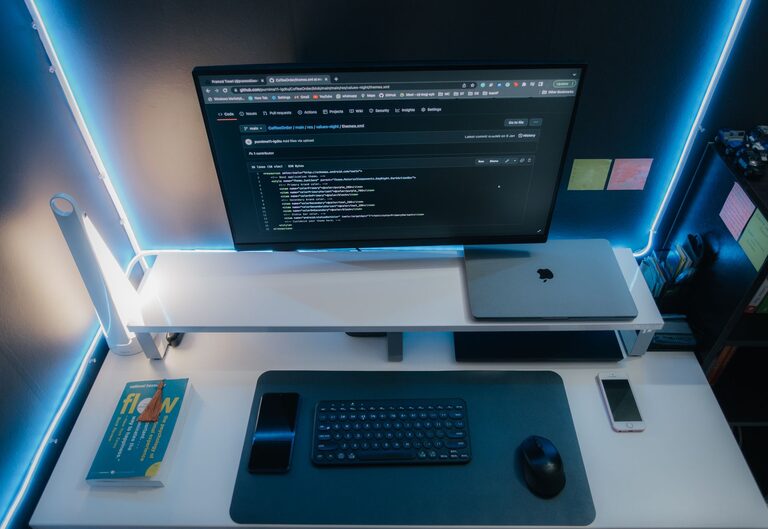
In today’s world, our digital devices often become cluttered with files, apps, emails, and notifications. This digital clutter can cause stress, reduce productivity, and make it hard to find what you need. The good news is that you can take control and create a more organized digital life with a few thoughtful steps. This guide will walk you through practical ways to declutter your digital spaces and establish habits that keep your digital life tidy.
Why Declutter Your Digital Life?
Before diving into the how-to, it’s important to understand why decluttering digitally matters:
– Reduces Stress: A chaotic device can cause anxiety and distract you from important tasks.
– Improves Productivity: Organized files and apps help you find what you need faster.
– Increases Storage Space: Removing unwanted files frees up space on your devices.
– Enhances Device Performance: Fewer apps and files can speed up your phone or computer.
– Protects Privacy: Deleting old accounts and data reduces risks of unwanted exposure.
—
Step 1: Tidy Up Your Files and Folders
Digital clutter often starts with disorganized files. Take time to clean and organize your documents, photos, videos, and downloads.
Tips for File Organization
– Create a Folder System: Group files by categories like Work, Personal, Photos, or Projects.
– Use Clear Naming Conventions: Name files with descriptive titles and dates to make searching easier.
– Delete Unnecessary Files: Remove duplicates, outdated documents, and files you no longer need.
– Backup Important Data: Use cloud storage or external drives to keep backups of essential files.
—
Step 2: Manage Your Email Inbox
A cluttered inbox can feel overwhelming and hide important messages.
How to Keep Email Under Control
– Unsubscribe from Unwanted Newsletters: Reduce incoming emails by unsubscribing from sources you no longer read.
– Create Folders and Labels: Sort emails by categories like Bills, Work, or Personal.
– Use Filters and Rules: Automate sorting of incoming emails into appropriate folders.
– Archive or Delete: Remove emails that are no longer relevant but keep important ones archived.
– Schedule Email Time: Avoid constant checking by setting specific times to manage your inbox.
—
Step 3: Declutter Your Apps and Software
Too many apps can slow down your devices and make navigation difficult.
How to Trim Your App Collection
– Review Installed Apps: Delete apps you rarely or never use.
– Update Remaining Apps: Keep apps updated for the best performance and security.
– Organize Apps into Folders: Group related apps together (e.g., Social, Productivity, Entertainment).
– Limit Notifications: Turn off non-essential alerts to reduce distractions.
—
Step 4: Clean Up Your Browser and Online Accounts
Your browser history, bookmarks, and online accounts can also accumulate clutter.
Browser Cleanup Tips
– Clear Cache and Cookies Regularly: This helps speed up browsing and protects privacy.
– Organize Bookmarks: Delete unused bookmarks and group the rest into folders.
– Review Saved Passwords: Remove outdated or unused saved login information.
Managing Online Accounts
– Audit Your Accounts: List all online accounts you have.
– Delete Inactive Accounts: Close accounts you no longer use to protect your information.
– Use Strong Passwords: For active accounts, ensure passwords are strong and unique.
– Enable Two-Factor Authentication: Add an extra layer of security to important accounts.
—
Step 5: Streamline Your Digital Habits
Decluttering isn’t a one-time event; it requires ongoing habits.
Tips for Maintaining Digital Order
– Set Regular Cleanup Times: Schedule weekly or monthly times to tidy files and emails.
– Limit Screen Time: More mindful device usage reduces digital accumulation.
– Use Cloud Services Wisely: Keep your files accessible but avoid unnecessary duplicates.
– Practice Mindful App Installation: Only download apps you truly need.
– Keep Your Desktop Clean: Avoid saving files directly to your desktop; use organized folders instead.
—
Tools and Apps to Help You Declutter
– File Management: Tools like Google Drive, Dropbox, or OneDrive offer organized cloud storage.
– Email Management: Apps like Clean Email or Unroll.me help unsubscribe and sort emails.
– Password Management: Applications such as LastPass or Dashlane keep your passwords safe and organized.
– Device Cleaners: Utilities like CCleaner or built-in device maintenance apps can clear junk files.
—
Final Thoughts
Decluttering your digital life can lead to a calmer, more efficient, and secure experience with your devices. By organizing files, managing emails and apps, cleaning browsers, and developing healthy digital habits, you can enjoy more peace of mind and spend less time searching for things. Start with small changes, and over time, you’ll notice the benefits of a well-organized digital space. Remember, a clear digital life supports a clearer mind!